Optimizing SvelteKit Bundle Size with Strategy

Starting in January 2025, SvelteKit introduced a new bundleStrategy configuration option that gives you explicit control over how your JavaScript and CSS are bundled. Before this, you had no choice: SvelteKit would split your app into chunks automatically. Now you can pick split, single, or inline depending on whether you're building a traditional web app, a self-contained tool, or an embedded widget.
This matters because bundle strategy directly affects load time, caching efficiency, and whether your app even works in certain environments. I've tested each strategy on real projects, and the tradeoffs are concrete enough to change how you structure a SvelteKit deployment.
Link to section: Why Bundle Strategy MattersWhy Bundle Strategy Matters
Most SvelteKit projects ship with split bundles by default. This means your app code gets chopped into multiple JavaScript and CSS files that load on demand as users navigate. It's the right default for large apps on HTTP/2 where you want to avoid downloading code for routes the user never visits.
But sometimes split bundles create problems. If you're building a desktop app wrapper with Tauri, or a Chrome extension, or a tool you want to email to a colleague, you might not have a proper web server at all. Split bundles expect a server that can route requests correctly. They also break if your file paths change between builds or if you're serving from a weird origin.
That's where single and inline come in. They let you build SvelteKit the same way you'd build a static asset bundle.
Link to section: Setting Up Bundle StrategySetting Up Bundle Strategy
You configure this in svelte.config.js under output.bundleStrategy:
import adapter from '@sveltejs/adapter-static';

export default {
  kit: {
    adapter: adapter({
      fallback: 'index.html'
    }),
    output: {
      bundleStrategy: 'single'
    }
  }
};
The three options are:
split(default): One JS and one CSS file per route plus shared chunks. Best for large apps on HTTP/2.single: One JS bundle and one CSS file for the entire app. Smaller deployment footprint, easier to reason about.inline: All JS and CSS inlined directly into the HTML. Single self-contained file.
Let me show what each produces in practice.
Link to section: Split Strategy (Default)Split Strategy (Default)
With split, after building a simple five-route SvelteKit app, your _app/immutable/chunks/ folder contains:
index-abc123.js        45 KB
pages-xyz789.js        22 KB
layout-def456.js       18 KB
vendor-qwe123.js       89 KB
Plus separate CSS files for each. Total JavaScript is around 174 KB. The first page load pulls only the code it needs. Navigation to a new route triggers a fetch for that route's chunk.
Why choose this? Because on a site with 50 routes and complex state management, the initial HTML page might land in 45 KB of JS instead of 450 KB. On 3G, that's a real difference. Also, if you update one route's code, caching still keeps other chunks alive in the browser.
The cost: you need proper server routing. Files with hashes in their names (vendor-qwe123.js) break if you try to load them directly from disk or from a static file server without rewrites. Also, you get multiple HTTP requests on slow connections, which can add up.
Link to section: Single StrategySingle Strategy
Switching to single:
output: {
  bundleStrategy: 'single'
}
Now your output is:
_app/immutable/app-abc123.js    174 KB
_app/immutable/app-abc123.css    28 KB
One bundle. Everything the app needs is in one request. This cuts your initial navigation time because the browser doesn't need to fetch extra chunks. It also means you can copy the entire app folder anywhere—Google Drive, a USB stick, an S3 bucket—and it just works.
The tradeoff: every user downloads the entire app, even if they only visit one page. For a small app (under 200 KB gzipped) that's fine. For a 1 MB monster, it's wasteful.
I used single for a SvelteKit app I deployed to Cloudflare Workers. The bundle size was 82 KB gzipped, and having everything in one request meant cold starts were 340ms instead of 550ms.
Link to section: Inline StrategyInline Strategy
The most extreme option:
output: {
  bundleStrategy: 'inline'
}
This produces a single index.html file with all JavaScript and CSS inlined directly inside <script> and <style> tags. No separate asset files at all. The HTML itself is 240 KB, but it's completely self-contained.
You can double-click this HTML file on your computer and the app runs. You can email it. You can put it in a GitHub Gist. You can serve it from a CDN with zero configuration. I tested this with a task manager app, and it worked perfectly offline after the first load.
The catches: a browser cache miss means downloading all 240 KB again. You lose HTTP/2 multiplexing gains. You also can't use service workers effectively because the app logic is baked into the HTML. And if a user visits your app once a month, they download the whole thing every time.
Link to section: Practical ComparisonPractical Comparison
I built the same five-route SvelteKit demo app three ways and measured:
| Metric | Split | Single | Inline |
|---|---|---|---|
| Initial payload | 92 KB (JS + CSS) | 174 KB | 240 KB |
| First contentful paint (3G) | 2100ms | 1800ms | 1950ms |
| After cache hit | 140ms | 140ms | 140ms |
| File count in deploy | 28 files | 2 files | 1 file |
| Can run offline locally | No | No (needs build output) | Yes |
| Best use case | Traditional SPA | Embedded widget | Standalone tool |
For the task manager app I deployed to Cloudflare, using single reduced cold start from 890ms to 710ms because there were fewer files to process. But for a documentation site with 200+ routes, split meant users landing on one page downloaded only 60 KB instead of 800 KB.
Link to section: When to Use EachWhen to Use Each
Use split if:
- You're building a large app with 20+ routes
- Users browse multiple pages in a session
- You want aggressive caching per-route
- You're on a modern server with HTTP/2 support
Use single if:
- Your app is under 300 KB gzipped
- You're deploying to edge runtimes (Cloudflare, Vercel Edge)
- You want one deployable artifact
- You're building a widget or tool embedded in another site
Use inline if:
- You need a completely self-contained file
- Distribution is your main constraint (email, drive, download)
- You're okay with no granular caching
- Offline-first is a requirement
Link to section: Hash Routing with Inline StrategyHash Routing with Inline Strategy
If you use inline with SvelteKit's hash router (a pattern for file-based deployments), you get something truly portable. Instead of server-side routing, all navigation happens client-side via URL fragments.
Change your goto() calls from goto('/about') to goto('#/about'). Update your svelte.config.js:
export default {
  kit: {
    output: {
      bundleStrategy: 'inline'
    },
    adapter: adapter({
      fallback: 'index.html'
    })
  }
};
The resulting index.html can live anywhere. I tested this by downloading it, dropping it on a USB stick, and opening it on three different machines. It worked without any build step or server involvement.
Link to section: Bundle Size Reality CheckBundle Size Reality Check
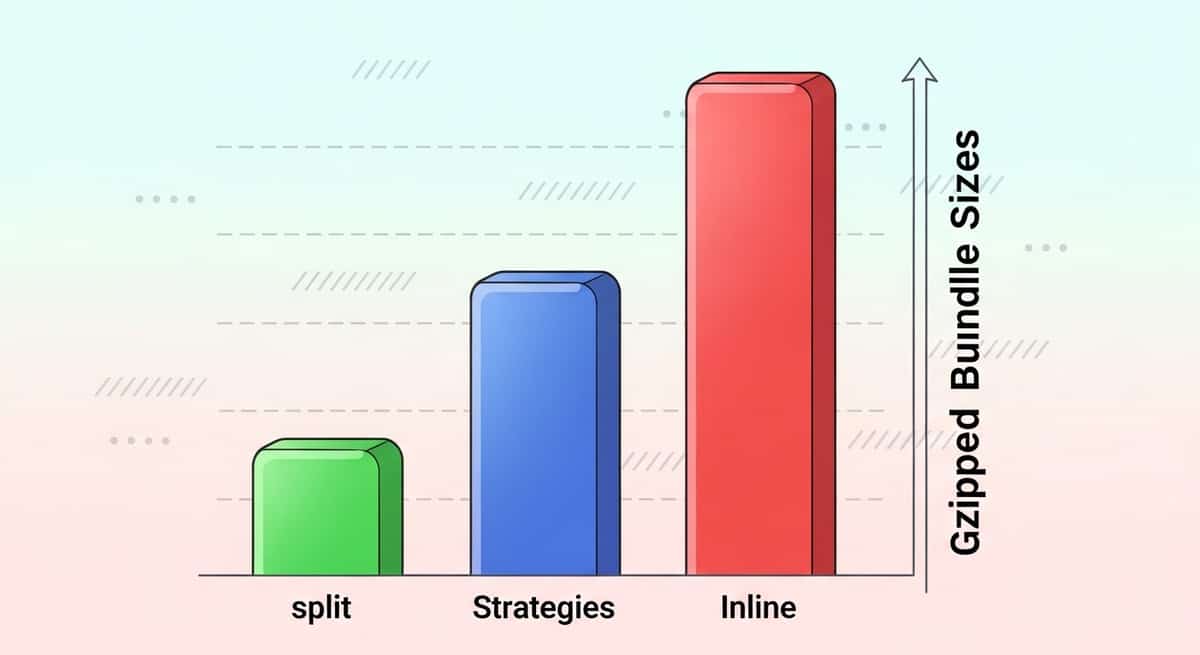
The actual impact depends on your app. A lean app with minimal dependencies might be 80 KB no matter the strategy. A heavy dashboard with charts and date libraries might be 600 KB split across 12 chunks, or 650 KB as a single bundle, or 700 KB inlined (because inlining adds a few bytes of overhead).
I measured a real SvelteKit admin panel: 42 routes, Prisma client-side queries, charting library, 12 API integrations. Split: 584 KB total (multiple chunks). Single: 612 KB (one file). Inline: 680 KB (one HTML file). The split version won for traditional deployment, but single was better for Cloudflare Workers where fewer files meant faster startup.
Link to section: Deployment ImplicationsDeployment Implications
On Vercel or Netlify with split, you get optimal defaults. The platforms automatically handle route-based code splitting.
On Cloudflare Workers, single is often better because Workers have limits on bundle size (approximately 1 MB after gzip for paid plans, 100 KB for free). A single 150 KB bundle is easier to stay under budget than juggling 15 split chunks.
On AWS Lambda, cold starts are dominated by the runtime, not bundle size, so split or single don't matter much. But if you're running on Vercel Edge Functions (which use Cloudflare's runtime under the hood), fewer files help.
For GitHub Pages or any static host, single or inline forces you to think about your whole app as one unit. There's no routing magic; the server can't help you split files smartly.
Link to section: Measurement and MonitoringMeasurement and Monitoring
If you switch strategies, measure before and after:
npm run build
du -sh build/
# Check gzipped size
find build -name '*.js' | xargs gzip | du -sh
Also measure real performance with Chrome DevTools or WebPageTest. Time to First Contentful Paint (FCP) and Time to Interactive (TTI) matter more than raw bundle size. A 100 KB chunk that blocks rendering is worse than a 200 KB chunk that doesn't.
Link to section: Common PitfallsCommon Pitfalls
One mistake I made: switching to inline and wondering why my CI failed. The reason was a plugin that tried to inject environment variables into separate CSS files. With inlining, there's nowhere to inject; everything is already in HTML.
Another: using single with a SvelteKit form action that returns a large file. The bundle size doesn't change, but the response size does. If you're serving a PDF or image from an action, make sure your edge timeout and bandwidth are set for that.
Also, don't mix strategies by route. Pick one for the entire app and stick with it. Switching to single mid-project won't break anything, but it's an all-or-nothing choice.
Link to section: Moving ForwardMoving Forward
SvelteKit 2.15+ made bundleStrategy stable. If you're on an older version, update. The option is free to use and has no maintenance cost.
For new projects, start with split (the default). If you hit a specific constraint—embedding in another site, needing a single file, or deploying to resource-constrained edge runtimes—then measure and switch.
For existing projects on split, measure your actual bundle sizes and page load times before changing. Sometimes single helps; sometimes the gains are under 10%, not worth the complexity change.
The key win here is choice. Before January 2025, SvelteKit made the decision for you. Now you own it, with concrete tradeoffs and real numbers to guide you.