Svelte 5.40 Updates: Essential Patterns Today
If you've been running Svelte 5.40 through 5.42 in the past few weeks, you've probably noticed a quiet stream of releases landing in your package.json. Unlike the flashy launch of runes in 5.0, these updates solve real friction I encounter in production apps: type-safe state sharing across nested components, instant UI feedback without waiting for promises, and smarter form handling. Let me walk you through what actually matters and when to reach for each one.
Link to section: Type-Safe Contexts with createContextType-Safe Contexts with createContext
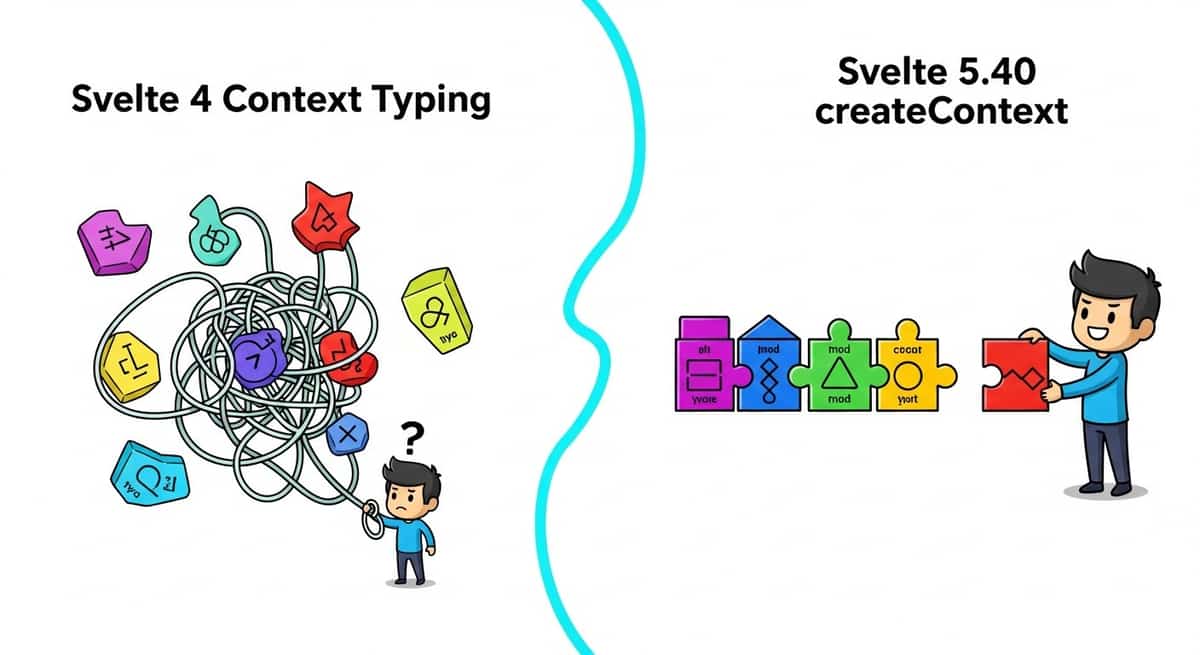
The biggest pain in Svelte 4 was typing contexts. You'd set a value in a parent with setContext, then retrieve it in children with getContext, and you had to repeat the type annotation everywhere:
// Parent component (Svelte 4 pattern)
<script>
  import { setContext } from 'svelte';

  const user = { name: 'Alice', role: 'admin' };
  setContext('user', user); // No type checking here
</script>

// Child component (Svelte 4 pattern)
<script lang="ts">
  import { getContext } from 'svelte';

  // Had to manually type this every time
  const user = getContext<{ name: string; role: string }>('user');
</script>

{user.name}
Svelte 5.40 introduces createContext, which bundles the type definition with the context key:
// Create a type-safe context module
// src/lib/user-context.svelte.ts
import { createContext } from 'svelte';

type User = { name: string; role: string };

export const user = createContext<User>('user');

// Parent component
<script>
  import { user } from '$lib/user-context.svelte';

  const userData = { name: 'Alice', role: 'admin' };
  user.set(userData);
</script>

// Child component (ANY level deep)
<script lang="ts">
  import { user } from '$lib/user-context.svelte';

  // No manual type annotation needed
  const userData = user.get(); // TypeScript knows the shape
</script>

{userData.name}
The difference is small but compounds fast. In a design system with 50+ nested components sharing theme, auth state, and feature flags, you eliminate redundant typing across the entire tree. The context is also scoped to the module, so naming conflicts disappear.
I use this pattern now for anything passed to deeply nested components: theme config, authenticated user, feature toggles, and dialog state. If the value is used only one level deep, regular props still make sense. But once it's going through three or more levels, createContext pays for itself immediately.
One thing to watch: if a child calls user.get() and no parent set the context, it throws. You can wrap it in a try-catch or check if the value exists, but the error is deliberate. Svelte wants you to be explicit about required context.
Link to section: Eager State for Immediate FeedbackEager State for Immediate Feedback
Normally in Svelte, when you update a piece of state that flows into an await expression, Svelte batches the DOM update to fire after the promise resolves. This is efficient but creates a flash of stale UI.
Here's the scenario: you have a navigation bar with active link styling. The user clicks a link. Ordinarily, the browser doesn't highlight the link as active until after the server loads the new page. That's a jarring delay on slower connections.
<!-- Without $state.eager() -->
<script>
  let currentPage = $state('home');

  async function navigate(page) {
    currentPage = page; // Doesn't update the UI yet
    await fetch(`/api/page/${page}`);
  }
</script>

<nav>
  <a
    href="/about"
    onclick={() => navigate('about')}
    aria-current={currentPage === 'about' ? 'page' : undefined}
  >
    About
  </a>
</nav>
In this example, the aria-current attribute won't flip until the fetch completes. On a 3G connection with a 500ms round-trip, the user sees no feedback.
Svelte 5.41 introduces $state.eager():
<!-- With $state.eager() -->
<script>
  let currentPage = $state.eager('home');

  async function navigate(page) {
    currentPage = page; // DOM updates immediately
    await fetch(`/api/page/${page}`);
  }
</script>

<nav>
  <a
    href="/about"
    onclick={() => navigate('about')}
    aria-current={currentPage === 'about' ? 'page' : undefined}
  >
    About
  </a>
</nav>
Now the link highlights instantly, even if the fetch takes two seconds.
The tradeoff is that eager state can temporarily diverge from reality. If the fetch fails or returns unexpected data, your UI showed the user a lie. That's why Svelte recommends using it only for UI feedback tied to user actions, not for critical app state. In the nav example, it's fine. If you used it for an account balance during a payment, it would be reckless.
I've adopted $state.eager() for form submission states, active menu items, and loading spinners. Anywhere the user expects instant visual confirmation of their click, this shines.
Link to section: The Fork API for Framework AuthorsThe Fork API for Framework Authors
Svelte 5.42 shipped the fork() API, which lets you run state changes in an isolated sandbox and check if they trigger async work without actually painting to the screen. This is primarily for framework builders like the SvelteKit team to implement smarter preloading.
The mental model: when the user hovers over a link, SvelteKit can fork the current state, run the page transition code to see what data needs to load, then preload that data silently. If nothing async fires, no preload happens. If an API call would have triggered, it happens in the background so the navigation feels instant.
As an app developer, you almost never call fork() directly. You benefit passively when SvelteKit uses it under the hood to preload the next page more intelligently. If you're building a custom framework or state orchestrator, it's the tool that unlocks fine-grained preloading.
Link to section: Enhanced Form Handling in SvelteKitEnhanced Form Handling in SvelteKit
SvelteKit's form actions have historically required a schema for validation. Svelte 5.40+ relaxes that constraint with three practical improvements.
First, form.for(id) implicitly sets an ID on form objects. This matters when you have multiple forms on one page (login and register, for example):
<!-- Before: manual ID management -->
<script>
  let { data } = $props();
  const loginForm = superForm(data.loginForm, { id: 'login-form' });
  const registerForm = superForm(data.registerForm, { id: 'register-form' });
</script>

<form method="POST" action="?/login" use:enhance>
  <!-- form fields -->
</form>

<form method="POST" action="?/register" use:enhance>
  <!-- form fields -->
</form>

<!-- After: automatic ID detection -->
<script>
  let { data } = $props();
  const loginForm = superForm(data.loginForm);
  const registerForm = superForm(data.registerForm);
</script>

<form method="POST" action="?/login" use:enhance>
  <!-- form fields -->
</form>

<form method="POST" action="?/register" use:enhance>
  <!-- form fields -->
</form>
The framework figures out which form submitted and routes the response to the right one. Fewer bugs from mismatched IDs.
Second, form validation can now be imperative:
// +page.server.ts
export const actions = {
  createPost: async (event) => {
    const formData = await event.request.formData();
    const title = formData.get('title')?.toString();

    // Imperative validation
    if (!title || title.length < 3) {
      return fail(400, { error: 'Title must be at least 3 characters' });
    }

    // Do something with title
    await db.posts.create({ title });
    return { success: true };
  }
};
This is useful when validation depends on database queries (e.g., "is this username taken?") or complex business logic that a schema can't express cleanly.
Third, SvelteKit 2.47+ adds a signal property to the request event, an AbortSignal tied to the request lifecycle. If the user navigates away or closes the tab mid-request, the signal aborts:
export const actions = {
  uploadFile: async (event) => {
    const formData = await event.request.formData();
    const file = formData.get('file');

    // If user navigates away, this fetch aborts automatically
    const response = await fetch('https://api.example.com/upload', {
      method: 'POST',
      body: file,
      signal: event.signal // Attach the abort signal
    });

    if (!response.ok) {
      return fail(500, { error: 'Upload failed' });
    }

    return { success: true };
  }
};
This prevents wasted server resources and hanging connections. The signal pattern is standard in modern JavaScript, so it integrates cleanly with any fetch or XMLHttpRequest.
Link to section: Remote Function Context ImprovementsRemote Function Context Improvements
In SvelteKit 2.44, remote functions gained access to route and URL context. This means you can now query which page triggered a remote call directly inside the function:
// +page.remote.ts
import { query } from '$app/server';

export const getPost = query(
  v.string(),
  async (slug, { url, route }) => {
    console.log(`Fetching ${slug} from route ${route.id}`);
    const post = await db.posts.findBySlug(slug);
    return post;
  }
);
This is useful for logging, analytics, and multi-tenant apps where behavior changes based on which page triggered the call.
Link to section: Practical Adoption PathPractical Adoption Path
Let me lay out when to use each feature based on real scenarios:
Adopt immediately:
createContextif your app has nested components sharing state (theme, auth, modals). It's a straight upgrade with zero downside.form.for(id)if you have multiple forms on a page. Reduces boilerplate and prevents routing bugs.
Adopt this quarter:
$state.eager()for user-facing feedback: active nav links, loading buttons, success toasts. Test the state divergence doesn't break your UX.- Imperative form validation if you have complex rules tied to database state or business logic.
Adopt when you need it:
- The
signalproperty when you're making long-running external API calls and want to abort on navigation. - The
fork()API only if you're building a framework or advanced state library.
Link to section: Migration ChecklistMigration Checklist
If you're running Svelte 5.39 or SvelteKit 2.43, here's what to do:
- Update Svelte to
5.42.0and SvelteKit to2.48.0(or latest). - In any parent components with nested children sharing state, replace
setContext/getContextwithcreateContext. Define the context in a.svelte.tsfile, export the created context, and import it in parents and children. - Audit your components for state that impacts UI immediately (nav, modals, form submission). Replace those with
$state.eager(). - If you have multiple forms on one page, test that they still update correctly. The framework now handles the ID routing, but double-check with your form validation library (Superforms, etc.).
- For long-running actions (file uploads, external API calls), add the
signalproperty to your fetch calls.
Link to section: Real-World Example: A Design SystemReal-World Example: A Design System
Here's how these three features work together in a real app: a design system with a theme switcher, auth state, and a settings modal.
// src/lib/design-context.svelte.ts
import { createContext } from 'svelte';

export type Theme = 'light' | 'dark';
export type User = { id: string; name: string; role: 'user' | 'admin' };

export const theme = createContext<Theme>('theme');
export const user = createContext<User>('user');
<!-- src/routes/+layout.svelte -->
<script>
import { theme, user } from '$lib/design-context.svelte';
let currentTheme = $state.eager('light');
let currentUser = $state.eager({ id: '1', name: 'Alice', role: 'user' });
theme.set(currentTheme);
user.set(currentUser);
</script>
<svelte:window
onclick={(e) => {
if (e.target.matches('[data-toggle-theme]')) {
currentTheme = currentTheme === 'light' ? 'dark' : 'light';
}
}}
/>
<slot /><!-- src/routes/settings/+page.svelte -->
<script>
import { theme, user } from '$lib/design-context.svelte';
const currentTheme = theme.get();
const currentUser = user.get();
async function saveSettings(data) {
// Form data validated imperatively
const response = await fetch('/api/settings', {
method: 'POST',
body: JSON.stringify(data)
});
if (response.ok) {
// UI updates immediately even before mutation completes
currentTheme = data.theme;
}
}
</script>
<h1>Settings for {currentUser.name}</h1>
{#if currentTheme === 'dark'}
<p>Dark mode enabled</p>
{/if}
<form onsubmit={(e) => {
e.preventDefault();
saveSettings(new FormData(e.currentTarget));
}}>
<!-- form fields -->
</form>Each child component down the tree imports the contexts and reads state without type annotations. Theme changes flip the UI instantly. User data flows through without repetitive prop drilling.
Link to section: What's Coming NextWhat's Coming Next
The November updates are stabilizing the foundations. The team is signaling direction with the fork() API: expect smarter preloading in SvelteKit based on route transitions and predicted data needs. The imperative form validation opens the door to richer error handling and multi-step workflows.
If you use Svelte in production, this is a quiet but meaningful release. None of these changes break your code, but adopting them incrementally removes boilerplate and improves the UX you ship. Start with createContext and work outward.