
Svelte 5.46: CSP-Safe Hydration for Production

If you run strict Content Security Policies in production, you already know the friction: server-side rendering and CSP don't play well together. Inline scripts get blocked. Hydration breaks silently. You either loosen your policy (defeating its purpose) or ship slower, over-rendered pages.
Svelte 5.46 changes this. The hydratable API now supports a csp option in the render method, letting you embed hydration data safely without violating CSP headers. This is a real productivity win if you're building secure, production-grade applications.
Let's walk through why this matters, how it works, and how to implement it.
Link to section: Why CSP and Hydration Don't MixWhy CSP and Hydration Don't Mix
Content Security Policies exist to prevent inline script injection attacks. A policy like script-src 'self' tells the browser: "Only run JavaScript from my domain, nowhere else."
The problem: SvelteKit's server rendering inlines hydration state directly into your HTML as a <script> tag. When your CSP policy blocks inline scripts, that hydration payload never reaches the client. Your page renders on the server, but JavaScript can't boot up properly. You get a frozen page, or components behave oddly until the client re-renders everything from scratch.
Before Svelte 5.46, you had three bad options:
- Disable hydration (losing SSR benefits)
- Weaken your CSP to allow unsafe-inline scripts (defeating security)
- Use nonces on every inline script (works, but requires careful plumbing)
The nonce approach was the "right" way, but it meant manually threading a unique nonce through every render call, every template, every time. If you forgot one script, your CSP would block it. It was fragile and easy to mess up in larger applications.
Link to section: How Svelte 5.46 Solves ItHow Svelte 5.46 Solves It
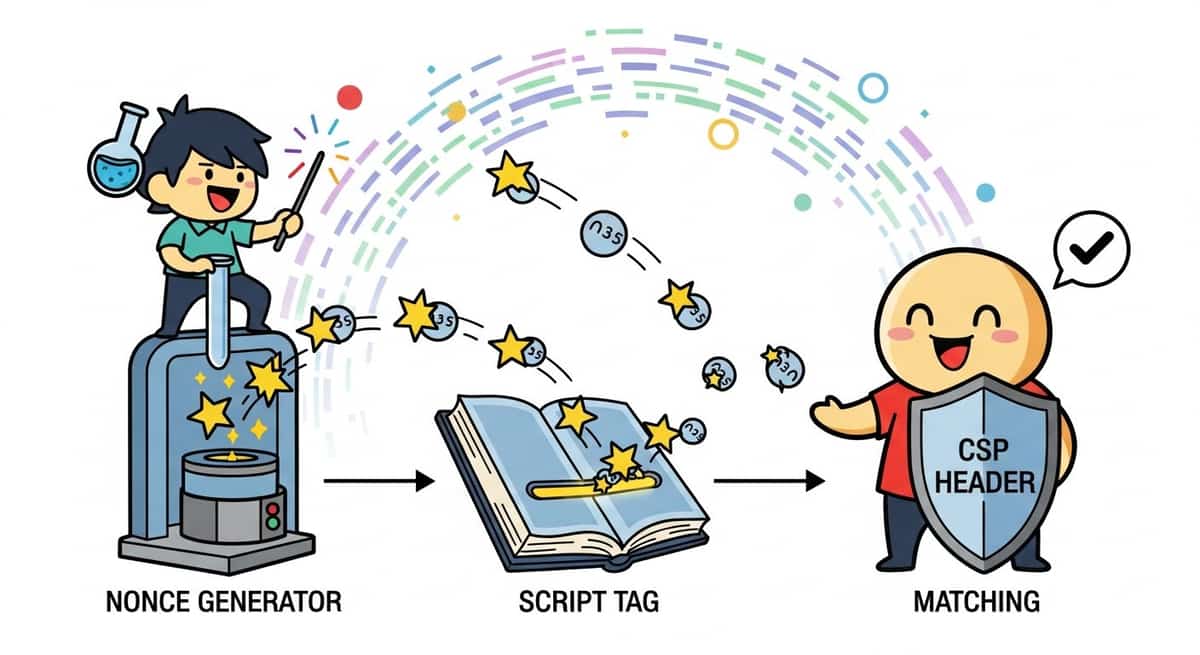
Svelte 5.46 introduced a csp option on the render method's configuration. When you enable it, the framework automatically handles nonce assignment for you. The hydration script gets a nonce attribute, your CSP header includes the same nonce, and everything works without manual wiring.
Here's the core change. In your SvelteKit hook or adapter, instead of:
const { html, head, body } = render(component, {
  props: { /* ... */ }
});
You now pass:
const nonce = crypto.randomUUID();
const { html, head, body } = render(component, {
  props: { /* ... */ },
  options: {
    csp: {
      nonce: nonce
    }
  }
});
The framework embeds that nonce into the hydration script. You send the same nonce in your CSP header:
Content-Security-Policy: script-src 'self' 'nonce-<your-nonce>'
The browser sees the nonce matches, allows the script, hydration runs, and your page works.
Link to section: Practical Implementation in SvelteKitPractical Implementation in SvelteKit
Let's build this step by step. You'll need to:
- Generate a nonce on each request
- Pass it to your render function
- Include it in your CSP header
- Test that everything works
Step 1: Create a hook to generate and attach the nonce
In src/hooks.server.ts:
import { sequence } from '@sveltejs/kit/hooks';

export const handle = sequence(
  async ({ event, resolve }) => {
    const nonce = crypto.randomUUID();
    event.locals.nonce = nonce;

    const response = await resolve(event);
    response.headers.set(
      'Content-Security-Policy',
      `script-src 'self' 'nonce-${nonce}'; style-src 'self'`
    );

    return response;
  }
);
This generates a unique nonce for every request and stores it in event.locals. The hook also sets the CSP header with that nonce.
Step 2: Use the nonce in your render call
If you're using a custom adapter or rendering at the edge, you'd access the nonce like this:
const { html, head, body } = render(component, {
  props: pageData,
  options: {
    csp: {
      nonce: event.locals.nonce
    }
  }
});
Most developers using SvelteKit don't call render directly. The framework handles it under the hood. But if you're building a custom adapter (for Cloudflare Workers, AWS Lambda, or similar), this is where the nonce flows in.
Step 3: Verify in your layout or page
Your +page.svelte or +layout.svelte doesn't change. The CSP header is set globally, and the nonce is embedded in the hydration script automatically. No component changes needed.
Step 4: Test with curl or Chrome DevTools
Generate a request and inspect the response headers:
curl -i https://yourapp.comLook for Content-Security-Policy in the response headers. You should see:
Content-Security-Policy: script-src 'self' 'nonce-550e8400-e29b-41d4-a716-446655440000'; style-src 'self'
Open DevTools, go to the Network tab, reload, and check the Console. You should see no CSP violations. If you do, you likely have an inline script or style somewhere that lacks a matching nonce.
Link to section: Deployment ConsiderationsDeployment Considerations
Different hosting platforms have different hooks into request handling. Here's how to adapt the pattern:
Vercel
Vercel's serverless functions support standard Node.js, so the hook approach works out of the box. Nonces are generated per request and included in the CSP header automatically.
Cloudflare Workers
With adapter-cloudflare, you have access to the incoming request in middleware. You can set headers there:
export const handle = sequence(
  async ({ event, resolve }) => {
    const nonce = crypto.getRandomValues(new Uint8Array(16))
      .reduce((a, b) => a + ('0' + b.toString(16)).slice(-2), '');

    event.locals.nonce = nonce;
    const response = await resolve(event);

    response.headers.set(
      'Content-Security-Policy',
      `script-src 'self' 'nonce-${nonce}'`
    );
    return response;
  }
);
On Cloudflare, use crypto.getRandomValues for better compatibility with their runtime.
Netlify
Netlify Functions support hooks the same way as Vercel. The hook pattern works unchanged.
Docker/Node.js
If you're running Node.js directly or in Docker, the hook approach works without modification. Generate a nonce, set the header, pass the nonce to render.
Link to section: Real-World CSP Policy ExampleReal-World CSP Policy Example
A strict but practical CSP for a SvelteKit app might look like:
Content-Security-Policy:
  default-src 'none';
  script-src 'self' 'nonce-{nonce}';
  style-src 'self' 'nonce-{nonce}';
  img-src 'self' https:;
  font-src 'self';
  connect-src 'self' https://api.example.com;
  frame-ancestors 'none'
This policy:
- Blocks all content by default
- Allows scripts and styles only from your domain, with a nonce for inline code
- Allows images from your domain and HTTPS sources
- Restricts API calls to your domain and one external API
- Blocks embedding your app in an iframe
The nonce approach handles the inline hydration script without needing unsafe-inline. Every other inline style or script would also need a matching nonce, or you'd need to move them to external files.
Link to section: Comparing the ApproachesComparing the Approaches
Before Svelte 5.46, here's how these strategies stacked up:
| Approach | Security | Complexity | Performance | Maintainability |
|---|---|---|---|---|
| No CSP | Low | Low | Fastest | Easy |
| Weak CSP (unsafe-inline) | Medium | Low | Fastest | Easy |
| Manual nonce | High | High | Fast | Hard |
| Svelte 5.46 CSP option | High | Low | Fast | Easy |
Svelte 5.46's CSP option shifts the needle. You get high security with low complexity. The framework handles nonce generation and embedding; you just set the header.
The trade-off: every request generates a new nonce, adding a tiny amount of CPU. For most applications, this is negligible. On high-traffic sites, you might measure <1ms per request. If that matters, you could reuse a nonce for short time windows (30 seconds), but that weakens security slightly.
Link to section: One Gotcha: External ScriptsOne Gotcha: External Scripts
If your app loads third-party scripts (analytics, ads, error tracking), they won't have your nonce. You have two options:
- Whitelist their domain in your CSP:
script-src 'self' 'nonce-{nonce}' https://cdn.example.com
- Use subresource integrity (SRI) hashes to verify the script hasn't been tampered with:
<script
  src="https://cdn.example.com/tracker.js"
  integrity="sha384-xyzabcdef"
  crossorigin="anonymous"
></script>
And update your CSP:
script-src 'self' 'nonce-{nonce}' https://cdn.example.com 'strict-dynamic'
Neither is perfect. Whitelisting the domain is easier but weaker. SRI hashes are stronger but require maintaining hash values when scripts update.
If you can, move third-party scripts to a separate domain or subdomain with its own looser CSP. That keeps your main app locked down tight.
Link to section: Testing Your CSPTesting Your CSP
Use the CSP violation reports to catch misses. Add a report-uri directive:
Content-Security-Policy:
  script-src 'self' 'nonce-{nonce}';
  report-uri https://yourserver.com/csp-report
The browser will POST CSP violations to that endpoint. You can log them and fix issues. In development, keep violations in your console logs. In production, aggregate them and alert on new patterns.
A solid testing approach:
- Set CSP in report-only mode first (doesn't block, just reports):
Content-Security-Policy-Report-Only: script-src 'self' 'nonce-{nonce}'
- Monitor for violations in staging for a few days
- Switch to enforced CSP once you're confident
- Keep report-only alongside enforced CSP for monitoring
Link to section: When to Adopt ThisWhen to Adopt This
If your app:
- Runs in a regulated industry (fintech, healthcare, government)
- Handles sensitive user data
- Is a public platform that could be targeted for XSS
- Follows a zero-trust security model
Then strict CSP is worth the effort. Svelte 5.46 makes it practical.
If your app is a small internal tool or prototype, this adds complexity you don't need. Skip it for now.
For everything else, CSP is good hygiene. Svelte 5.46 makes the implementation cost low enough that it's worth doing.
Link to section: Next StepsNext Steps
To start using this in your SvelteKit app:
- Upgrade to Svelte 5.46 or later:
npm install svelte@latest- Add the nonce-generating hook to your
src/hooks.server.ts - Set a CSP header with the nonce placeholder
- Test in development with CSP Report-Only mode
- Monitor for violations and refine your policy
- Deploy with enforced CSP
If you're already running an older Svelte version and CSP feels out of reach, now's a good time to upgrade. The friction Svelte 5.46 removes is real.
Learn more about hydration improvements across recent Svelte updates to see how the framework continues solving production problems.
The shift to secure-by-default web applications is accelerating. Strict CSP is part of that. Svelte's tooling support makes implementing it less painful than before.
Updated January 5, 2026. Svelte 5.46.0 is current as of this post. Check the official changelog for any subsequent versions.