
WebSockets & SSR IDs: SkelteKit Early 2026 Features Guide
The first months of 2026 have brought several stabilization updates to SvelteKit that make building real-time and server-rendered apps significantly smoother. WebSocket support moved from experimental to testable, a new $props.id() rune solved a long-standing SSR pain point, and hydration now plays nicely with Content Security Policy. I've spent time working with these changes on a couple of projects, and they fix genuine friction points in the framework.
Link to section: WebSocket Support Comes to SkelteKitWebSocket Support Comes to SkelteKit
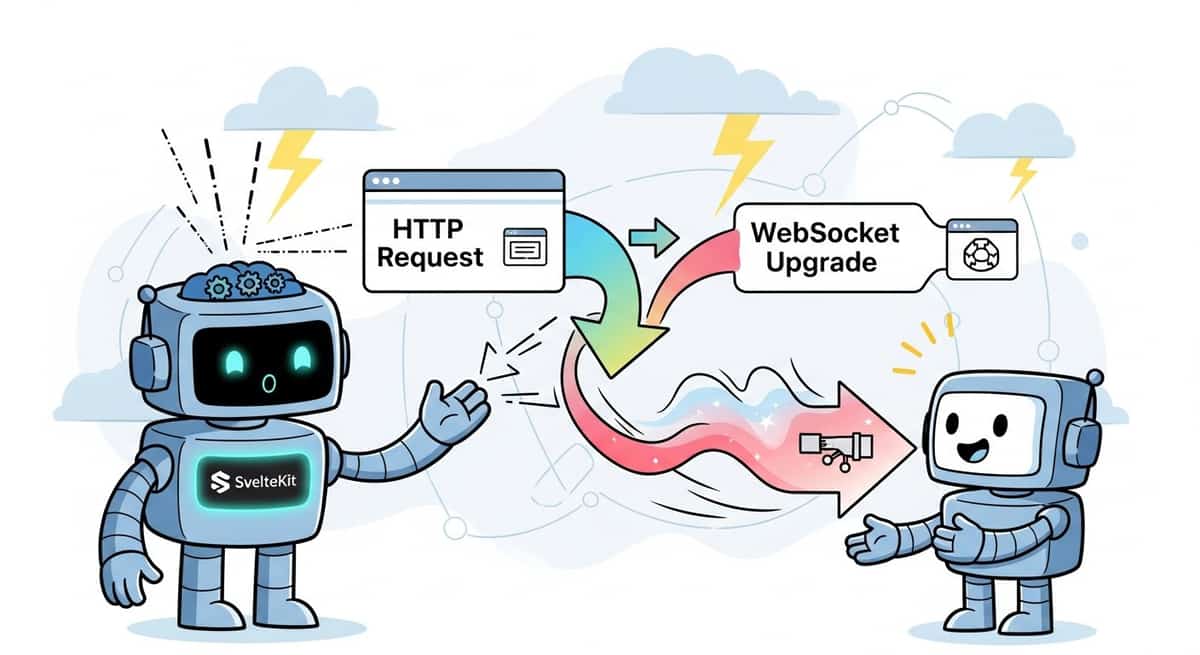
If you've been relying on workarounds or external libraries for WebSocket support, that changes now. SkelteKit has native WebSocket handling in testing, available through PR installation.
To test the WebSocket feature, install from the PR:
npm install https://pkg.pr.new/[PR-number]This gives you native WebSocket upgrade handling in route handlers. Instead of fighting Node.js upgrade mechanics or external middleware, you can now handle WebSocket connections directly inside your API routes.
Here's what a basic WebSocket endpoint looks like:
// src/routes/chat/+server.js
export async function GET({ request }) {
  if (request.headers.get('upgrade') === 'websocket') {
    const { socket, response } = Deno.upgrade(request);

    socket.onopen = () => {
      console.log('Client connected');
    };

    socket.onmessage = (event) => {
      socket.send(`Echo: ${event.data}`);
    };

    socket.onclose = () => {
      console.log('Client disconnected');
    };

    return response;
  }

  return new Response('WebSocket required', { status: 400 });
}
On the client side, you connect the same way you always have:
<script>
  let messages = $state([]);
  let ws;

  $effect(() => {
    ws = new WebSocket('wss://example.com/chat');

    ws.onmessage = (event) => {
      messages.push(event.data);
    };

    return () => ws.close();
  });

  function send(msg) {
    ws.send(msg);
  }
</script>

<input onkeydown={(e) => e.key === 'Enter' && send(e.target.value)} />
<ul>
  {#each messages as msg}
    <li>{msg}</li>
  {/each}
</ul>
The key advantage here is you're not maintaining a separate Node server or fighting adapter limits. Your real-time logic lives inside SvelteKit's request handler, which means you get all the normal benefits: environment variables, database access, auth context, and consistent error handling.
That said, WebSocket adoption isn't free. You'll want to test thoroughly on your target adapter before going to production. Cloudflare Workers, for instance, have connection duration limits that may affect long-lived sockets. Vercel's serverless functions don't support persistent WebSockets at all. Check your adapter docs carefully.
Link to section: SSR-Safe ID Generation with $props.id()SSR-Safe ID Generation with $props.id()
One of the most frustrating SSR bugs occurs when components generate random IDs that differ between server and client. You render a label with for="123" on the server, but the matching input gets id="456" on the client because a new random ID was generated during hydration. The form still works, but accessibility attributes break.
SvelteKit 5.20 added $props.id(), a rune that generates unique IDs stable across the server-client boundary.
<script>
  const uid = $props.id();
</script>

<label for="{uid}-email">Email</label>
<input id="{uid}-email" type="email" />

<label for="{uid}-password">Password</label>
<input id="{uid}-password" type="password" />
The rune creates a single unique identifier per component instance. When the server renders, it bakes that ID into the HTML. When the client hydrates, it receives that same ID and never regenerates. This is critical for any component that needs stable element relationships: form labels, ARIA attributes, tabs with panels, accordions, modals.
Before this, you had to manage ID generation yourself using contexts or stores, which required boilerplate. Many developers just let accessibility suffer or built expensive custom solutions. Now it's one line.
The ID format is deterministic and safe. It's not random; the framework generates it based on component tree position and hydration state. That means it works reliably across server and client.
Link to section: Hydration Meets Content Security PolicyHydration Meets Content Security Policy
CSP headers are essential for security but notoriously tricky to maintain. One problem: Svelte's hydration mechanism injects inline scripts, which by default violate most CSP policies unless you add unsafe-inline (which defeats the purpose).
SvelteKit 5.46 solved this by adding CSP support to the hydratable API. You can now provide either a nonce or hashes, and the injected script gets the right attribute.
Here's nonce-based approach:
// src/hooks.server.js
import { render } from 'svelte/server';

const nonce = crypto.randomUUID();

export async function handle({ event, resolve }) {
  const rendered = render(App, {
    props: { data: event.data },
    csp: { nonce }
  });

  // Pass nonce to the response headers
  event.setHeaders({
    'Content-Security-Policy': `script-src 'nonce-${nonce}'`
  });

  return new Response(rendered.body, {
    headers: event.getHeaders()
  });
}
Or hash-based if you prefer deterministic CSP:
const rendered = render(App, {
  csp: { hash: true }
});

// In response headers:
// 'Content-Security-Policy': "script-src 'sha256-xyz123'"
The framework extracts the hashes for you and makes them available in the render output. This is especially useful for static or prerendered pages where the script content never changes.
Why does this matter? CSP prevents XSS attacks by restricting where scripts can load from. Many security-conscious teams require strict CSP policies. Before this change, you either disabled CSP for hydration (risky) or used unsafe-inline (defeats CSP entirely). Now you can have both.
Link to section: Streaming File Uploads and Remote FunctionsStreaming File Uploads and Remote Functions
Uploading large files through form actions in SkelteKit used to require you to wait for the entire file to arrive before processing. Kit 2.49 changed that: remote functions now support streaming file uploads, letting you access form data while the file is still uploading.
// src/routes/upload/+server.js
import { form } from '$app/server';

export const uploadFile = form(async ({ request }) => {
  const formData = await request.formData();
  const file = formData.get('file');

  // File is still uploading; start processing immediately
  const chunks = [];
  for await (const chunk of file.stream()) {
    chunks.push(chunk);
    // Do something with each chunk: scan for malware, track progress
  }

  return { success: true, size: chunks.length };
});
On the component side:
<script>
  import { uploadFile } from './+server.js';

  let uploading = $state(false);

  async function handleUpload(event) {
    uploading = true;
    const formData = new FormData(event.target);
    const result = await uploadFile(formData);
    uploading = false;
  }
</script>

<form onsubmit={handleUpload}>
  <input type="file" name="file" />
  <button disabled={uploading}>
    {uploading ? 'Uploading...' : 'Upload'}
  </button>
</form>
The practical benefit is large files no longer block form handling. You can validate the file type, start antivirus scanning, or write to cloud storage while the bytes still arrive. This is a significant quality-of-life improvement for any file-heavy application.
Link to section: Server-Side Route ResolutionServer-Side Route Resolution
SkelteKit 2.17 introduced an option to move route resolution to the server. By default, the entire routing manifest ships to the browser and route matching happens client-side. For large applications, that manifest can become expensive.
With server-side resolution, each navigation request hits the server to determine which route matches. The client no longer needs the full manifest.
Add this to your svelte.config.js:
export default {
  kit: {
    router: {
      resolution: 'server'
    }
  }
};
For most apps under 100 routes, the difference is negligible. But if you're building something with thousands of dynamic routes (think internal dashboards, multi-tenant platforms), this can shave off 20 30 KB from the initial bundle. Server resolution also works better with certain edge runtimes where you control route logic via edge functions.
The trade-off: every navigation involves a round trip. For slow networks or distant servers, this may feel slower despite the smaller bundle. Measure locally before adopting. I'd reserve this for data-heavy apps where the manifest itself was becoming a real cost.
Link to section: CLI Improvements for Faster SetupCLI Improvements for Faster Setup
The Svelte CLI (sv) got a few quality improvements that speed up new project scaffolding. Version 0.11 fully automates Cloudflare Workers and Pages setup without manual config editing.
npx sv create my-project
cd my-project
npx sv add sveltekit-adapter
Select Cloudflare as the adapter, and the CLI now handles all the configuration automatically: wrangler setup, environment variables, KV bindings, D1 database connections. You don't touch svelte.config.js.
The new add-ons argument also lets you chain multiple setup steps:
npx sv create my-project --add tailwind --add typescriptThis is a small thing, but it removes friction for people trying SkelteKit for the first time. Less time fighting config means more time building.
Link to section: Validation of Cache and Content-Type HeadersValidation of Cache and Content-Type Headers
A smaller but useful change: SkelteKit now validates cache-control and content-type header values in dev mode. Invalid values like max-age: 20000 (using colon instead of equals) are caught immediately with a helpful error message.
// This now throws in dev mode:
setHeaders({
  'cache-control': 'max-age: 20000'  // Wrong, colon instead of =
});

// Correct syntax:
setHeaders({
  'cache-control': 'max-age=20000'  // Right
});
This saves you from discovering cache headers weren't working in production because of a typo. Dev mode errors are far cheaper than discovering your API responses aren't cached.
Link to section: What's Stable, What's Still ExperimentalWhat's Stable, What's Still Experimental
WebSocket support is available for testing but not yet stable. The API may shift before a full release. If you're using it in production, pin the PR version and stay ready to adapt.
Everything else mentioned here (CSP hydration, $props.id(), streaming uploads, server-side resolution) is stable and safe to adopt immediately.
Link to section: Picking What to UsePicking What to Use
Not every feature applies to every project. A few questions to guide your adoption:
Real-time collaboration or live updates? WebSockets are now worth evaluating instead of long-polling.
Accessibility important to your org? $props.id() is a no-brainer. Use it in every component that needs stable element IDs.
Strict security requirements? CSP support removes a major blocker for regulated industries.
Very large routing tables? Server-side resolution deserves a benchmark test.
File-heavy workflows? Streaming uploads let you stop wasting cycles waiting for uploads to finish.
For most teams building typical web apps, the most immediate win is $props.id(). It solves an actual pain point with zero overhead.
Link to section: Next StepsNext Steps
Start with one feature that solves a real problem in your codebase. $props.id() requires no infrastructure changes. WebSockets deserve a test on your target adapter. CSP improvements only matter if you currently use CSP headers.
If you're building something new, use the new Cloudflare setup automation to cut time on initial configuration. The defaults are solid, and you can refine later.
Keep an eye on WebSocket support as it moves toward stable. For now, test it locally and in staging. By the time it reaches full release, you'll already know if it fits your use case.