
Hydration Strategy with Svelte's Hydratable API
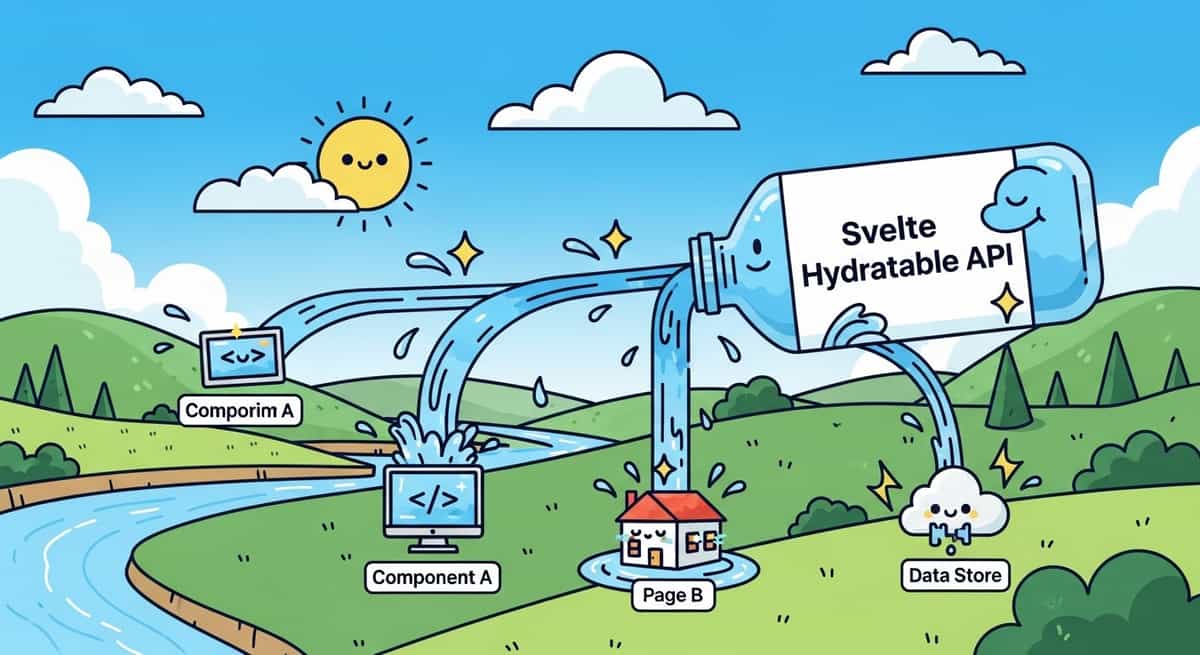
When Apple rebuilt its web-based App Store this year, engineers chose Svelte. That choice wasn't accidental. One reason: Svelte's compiler model lets you ship less JavaScript, and the framework handles hydration efficiently. But even with Svelte, hydration can be wasteful. If your server fetches data and renders it, the browser shouldn't fetch the same data again during hydration. That's where the hydratable API comes in.
Svelte 5.44 introduced hydratable, a low-level primitive that prevents you from doing redundant async work on the client. If you've ever dealt with flash-of-wrong-content, duplicate database queries, or slow hydration on real devices, this post is for you.
Link to section: The hydration problem in plain termsThe hydration problem in plain terms
Hydration means taking server-rendered HTML and attaching interactivity on the client. It's fast compared to rendering from scratch, but it comes with a hidden cost: if your component has an await expression that fetches data, the browser will re-run that fetch during hydration, even though the server already did it.
Here's what happens without hydratable:
<script>
  import { getUser } from './api';

  // Server: fetches user, renders name into HTML
  // Browser: fetches user AGAIN during hydration
  const user = await getUser();
</script>

<h1>Welcome, {user.name}</h1>
On the server, this works fast. The user data is baked into the HTML. But when the browser loads that HTML and runs the component's script, it calls getUser() a second time. Depending on your network and API latency, this can add hundreds of milliseconds to your hydration time. On slower mobile connections, it's painful.
The naive fix is to pass the user as a prop from the server, but that's more boilerplate and breaks the clean component interface. The hydratable API solves this properly.
Link to section: How [object Object] worksHow [object Object] works
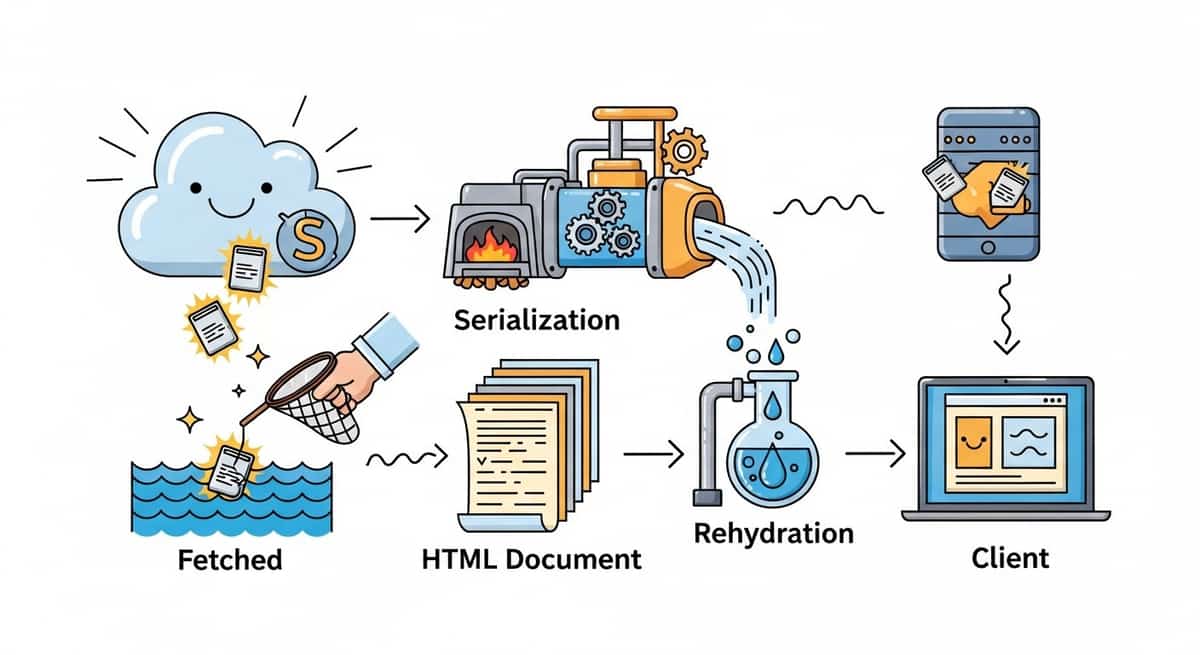
The hydratable function accepts a unique key and a function that returns a promise. On the server, it runs the function and stashes the result into the HTML (in a script tag or data attribute). During hydration, it checks if that stashed result exists; if it does, the promise resolves immediately without re-running the function.
Here's the corrected version:
<script>
  import { hydratable } from 'svelte';
  import { getUser } from './api';

  // Server: runs getUser, serializes result, bakes into HTML
  // Browser: finds serialized result, skips the fetch
  const user = await hydratable('user', () => getUser());
</script>

<h1>Welcome, {user.name}</h1>
That's it. No prop drilling, no extra component layers. The browser's hydration is now instant for this piece of data.
Behind the scenes, Svelte serializes the resolved value using devalue, a library that handles Map, Set, Date, URL, BigInt, and promises (so you can nest async work). The serialized value is embedded in the <head> during server rendering, and the hydration code knows to look for it.
Link to section: Real patterns: when and how to use itReal patterns: when and how to use it
hydratable is powerful, but it's not a catch-all. You use it when you want to share data between server and client without re-fetching. Here are the main patterns:
Link to section: Pattern 1: Initial page data (most common)Pattern 1: Initial page data (most common)
Load user, product, or article data on the server, make it available immediately on the client:
<script>
  import { hydratable } from 'svelte';

  const product = await hydratable('product', async () => {
    return fetch(`/api/products/${productId}`).then(r => r.json());
  });
</script>

{#if product}
  <h1>{product.name}</h1>
  <p>${product.price}</p>
{/if}
The product data is serialized into the HTML. On the client, no fetch happens. Users see the content immediately, and JavaScript doesn't block rendering.
Link to section: Pattern 2: Stable random or time-based valuesPattern 2: Stable random or time-based values
Suppose you generate a random layout shift ID or a timestamp on the server. You want the same value on the client so the page doesn't jump. hydratable prevents re-generating it:
<script>
  import { hydratable } from 'svelte';

  const layoutId = await hydratable('layout-id', () => Math.random());
</script>
Without hydratable, the random number differs between server and client, causing a mismatch. With it, the value is stable.
Link to section: Pattern 3: Derived data from layout or load functionsPattern 3: Derived data from layout or load functions
If your SvelteKit load function fetches data, you can share it with child components using hydratable. This avoids prop drilling and re-fetching:
<!-- +layout.svelte -->
<script>
  import { hydratable } from 'svelte';

  export let data;

  const user = await hydratable('user', async () => {
    return data.user;
  });
</script>
In child routes, user is available and already serialized. No re-fetch needed.
Link to section: Performance gains in practicePerformance gains in practice
Let's say you have a dashboard that loads user metadata, preferences, and a list of recent items. Without hydratable:
- Server render time: 200ms (fetches all data)
- Client hydration time: 300ms (re-fetches all data)
- Total user-visible time: 500ms
With hydratable:
- Server render time: 200ms (fetches all data)
- Client hydration time: 50ms (deserializes from HTML, no fetches)
- Total user-visible time: 200ms
The second metric is what matters: time until interactivity. You've saved 250ms just by avoiding redundant fetches.
On slow networks (3G, 4G in rural areas), that difference grows. A 300ms fetch becomes 1200ms. Hydration is now blocking your Largest Contentful Paint and First Input Delay metrics. hydratable keeps your Core Web Vitals in check.
Link to section: Key details and gotchasKey details and gotchas
Link to section: Serialization limitsSerialization limits
All data passed to hydratable must be serializable. devalue handles most types, but not custom class instances or circular references. If you need to return a class instance, serialize it to a plain object instead:
<!-- Good -->
const user = await hydratable('user', async () => {
  const raw = await fetchUser();
  return { id: raw.id, name: raw.name }; // plain object
});

<!-- Avoid -->
const user = await hydratable('user', async () => {
  return new User(); // custom class, won't serialize
});
Link to section: Key namespacingKey namespacing
Keys must be unique across your app. If two hydratable calls use the same key, you'll get a collision. If you're a library author, prefix your keys with your library name:
const result = await hydratable('my-lib:feature', () => expensiveWork());This prevents conflicts when multiple libraries use hydratable in the same page.
Link to section: When not to use itWhen not to use it
If data changes frequently or depends on user input, hydratable isn't the right fit. For example, don't use it for form state:
<!-- Avoid: form data will change -->
let formData = await hydratable('form', () => initialFormData());
Instead, use it only for data that's stable between server and client. Once hydration is done, you're free to update state normally.
Link to section: Integration with SvelteKit's load functionsIntegration with SvelteKit's load functions
SvelteKit's load functions are already optimized for hydration via the framework's data serialization. But if you're doing extra async work in a component that isn't part of the load function, hydratable helps:
// +page.ts
export async function load({ params }) {
  const product = await fetchProduct(params.id);
  return { product };
}
<!-- +page.svelte -->
<script>
import { hydratable } from 'svelte';
export let data;
// Extra async work not in load()
const relatedProducts = await hydratable('related', async () => {
return fetchRelated(data.product.id);
});
</script>Here, product is already handled by SvelteKit's data protocol. But relatedProducts is optional secondary data. hydratable ensures the browser doesn't re-fetch it if the server already did.
Link to section: The broader context: Apple's App Store and production scaleThe broader context: Apple's App Store and production scale
Apple's App Store rebuild used Svelte, and hydration performance is one reason why. Apple's teams value fast-loading, responsive interfaces. Every millisecond of hydration delay is a millisecond users aren't interacting. By using hydratable and other Svelte optimizations, Apple likely saved tens of milliseconds on initial render and interaction.
This isn't theoretical. When you serve millions of users across hundreds of millions of devices, small optimizations compound. A 100ms improvement in hydration time across your entire userbase means shorter wait times and fewer timeouts on slow connections.
Svelte's compiler model makes these optimizations natural. You're not fighting a large runtime; you're writing code that compiles to minimal JavaScript. hydratable fits that philosophy: it's a tiny, explicit primitive that solves a real problem without magic.
Link to section: Library authors: using hydratableLibrary authors: using hydratable
If you're building a data-fetching or state library for Svelte, consider using hydratable under the hood. It keeps your library fast and transparent to users. For example, a simple data store could look like:
export async function createQuery(key, fetcher) {
  const { hydratable } = await import('svelte');

  const data = await hydratable(key, fetcher);

  return {
    get current() { return data; },
    refresh: async () => {
      // Refresh skips hydratable, makes a live fetch
      return fetcher();
    }
  };
}
Users call createQuery once per page load, and it handles hydration automatically. No boilerplate, no repeated fetches.
Link to section: What's nextWhat's next
hydratable is a low-level API. Most developers won't call it directly. Instead, you'll use it through libraries and frameworks. Async rendering patterns in Svelte 5 build on top of hydratable to make streaming and progressive rendering simpler.
If you're migrating to Svelte 5 from an older version, check for places where your components re-fetch data during hydration. A quick audit might reveal unnecessary network requests that hydratable could eliminate. The payoff is almost always worth it, especially on mobile.
In the coming months, expect more Svelte libraries to adopt hydratable internally. The ecosystem is moving toward smarter, faster hydration by default. Apple's choice of Svelte signals that other high-traffic sites will follow, and performance optimizations like this are a big part of why.
The takeaway: hydration doesn't have to be wasteful. hydratable is a small but powerful tool that eliminates a class of bugs and performance issues. Whether you're building a small site or a high-traffic service, it's worth understanding and using.