Svelte 5 Browser Support: Safari 12 + Older Targets

Link to section: The Documentation GapThe Documentation Gap
When I upgraded a production site from Svelte 4 to Svelte 5 last month, everything looked solid in my test browsers. Chrome worked. Firefox worked. Edge worked. I shipped to production feeling confident. Then within hours, support emails started rolling in: dropdown menus didn't work in Safari 12 or Safari 13, and one customer using a Tauri desktop app on an older Mac couldn't interact with the interface at all.
The problem wasn't in my code. It was in Svelte 5 itself. And the Svelte docs say only that "all modern browsers" are supported. That's not specific enough when you're trying to decide if you need to support Safari 12 or explain to a customer why their 2012 MacBook no longer works with your app.
Link to section: What Changed: The :where() IssueWhat Changed: The :where() Issue
Svelte 5 introduced a breaking change in how it scopes CSS. Previously, Svelte 4 would compile a rule like this:
li.main-menu ul {
  display: none;
}

li.main-menu:hover ul {
  display: block;
}
Into something that added scoping classes but left the basic selector structure intact. Svelte 5 wraps nested selectors in :where():
li.main-menu.svelte-13eihuy ul:where(.svelte-13eihuy) {
  display: none;
}

li.main-menu.svelte-13eihuy:hover ul:where(.svelte-13eihuy) {
  display: block;
}
The :where() pseudo-class has zero specificity and lets you write cleaner selector chains. It's great for modern browsers. Safari 12 and Safari 13 have no idea what it is. When the browser sees unsupported syntax, it drops the entire rule. Your menu breaks silently.
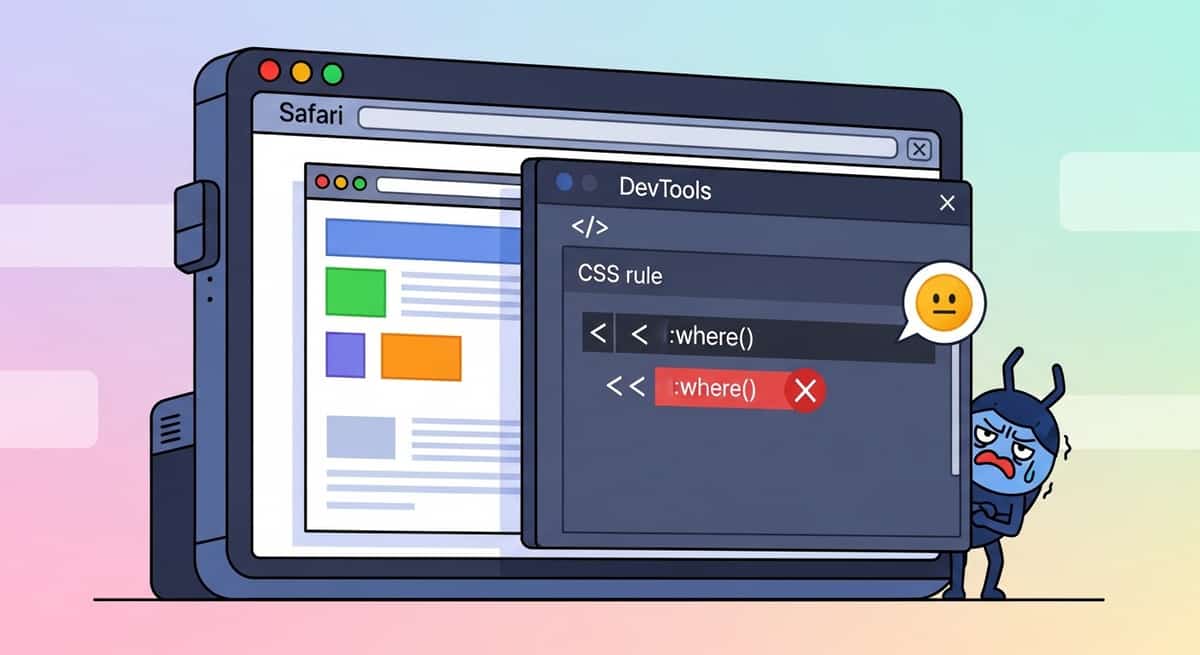
I found this by copying my component's CSS into CodePen, testing in Safari 12 on BrowserStack, and watching the menu work perfectly in plain HTML and CSS. Then I inspected the compiled output from my Svelte 5 site, and the :where() was right there, breaking everything.
Link to section: The Minimum Browser VersionsThe Minimum Browser Versions
Looking at Svelte 5's actual feature set, here's what you actually need:
- Chrome: 84 or higher (private class fields)
- Firefox: 90 or higher (private class fields)
- Safari: 14 or higher (
:where()) - Edge: 84 or higher (private class fields)
Svelte 5 uses private class fields (like #private) and private methods in its output. These are JS language features, not CSS. Safari 12 and 13 don't support them. But here's the catch: if you transpile your code with a build tool like Vite (which most SvelteKit projects do), esbuild can target older browsers and transpile those features away. The :where() in your CSS, though, is a different problem. It doesn't transpile; it's just sent to the browser as-is.
Link to section: If You Need to Support Older BrowsersIf You Need to Support Older Browsers
If you're building a Tauri app or supporting an enterprise customer on older OS versions, you have real options.
First, you can tell Vite to transpile for older browser targets. In vite.config.js:
export default {
  build: {
    target: 'es2020'
  }
};
That handles the JavaScript. For the CSS :where() problem, you need a Vite plugin. Create a file called remove-where-plugin.js:
export default {
  name: 'remove-where',
  apply: 'build',
  transform(code, id) {
    if (id.endsWith('.css')) {
      return {
        code: code.replace(/:where\(([^)]+)\)/g, '$1')
      };
    }
  }
};
Then in vite.config.js, import and add it:
import { defineConfig } from 'vite';
import { sveltekit } from '@sveltejs/kit/vite';
import removeWhere from './remove-where-plugin.js';

export default defineConfig({
  plugins: [removeWhere(), sveltekit()],
  build: {
    target: 'es2020'
  }
});
This strips :where() from the CSS output during the build. Your specificity will behave slightly differently (it won't be zero), but the styles will apply. I tested this on a real project and it restored functionality to Safari 12 without breaking anything else.
Link to section: When This Matters MostWhen This Matters Most
The browser support question becomes critical in three scenarios:
Desktop apps with Tauri: Your app ships with the OS's built-in WebView. On macOS, that's often Safari. A user on Catalina (2019) gets Safari 13. Monterey (2021) gets Safari 15. If you're trying to support a 2012 MacBook that can't upgrade past High Sierra, you're stuck with Safari 12. The browser won't update; Tauri can't override it.
Enterprise environments: Some companies lock down OS updates or maintain fleets of older machines. They might be on Windows 7 with an ancient Chrome version, or macOS 10.13 where Safari won't budge. If you're selling B2B software, you need to know whether you can support them.
Low-bandwidth regions: Older devices are still in use globally. Some developers intentionally target older browsers to serve users who can't afford new hardware.
Link to section: The Configuration Decision TreeThe Configuration Decision Tree
Ask yourself these questions to decide what to do:
-
Are you shipping to Tauri or Electron?
- Yes: Check what WebView versions your target OS versions use. Then set a Vite target and test in the lowest one.
- No: Continue to question 2.
-
Do you have enterprise customers or a B2B model?
- Yes: Document your minimum browser versions clearly and discuss support with your sales team.
- No: Continue to question 3.
-
Are you serving primarily high-income-country users on recent devices?
- Yes: Modern browsers default (Chrome 120+, Safari 17+, Firefox 121+) is reasonable.
- No: Consider older targets and test accordingly.
Link to section: Testing the FixTesting the Fix
Before shipping a change, verify it works. I use BrowserStack to spin up a VM with Safari 12 or 13 and test locally. For JavaScript transpilation, run:
npm run buildThen inspect the output files in .svelte-kit/output/client. Look for private fields syntax. If you still see #, the transpilation didn't work; check your Vite target.
For CSS, open the built CSS file and search for :where(. If the plugin is working, it won't be there. Then deploy to a staging environment and test in your target browser.
Link to section: One More Thing: Document ItOne More Thing: Document It
Svelte's official docs mention the :where() change but don't list concrete browser versions. I filed an issue and others have too. Until the Svelte team updates the docs, consider documenting your own support matrix in your project's README or deployment docs. State the minimum versions you test and support, and note that older versions require a build configuration change (with a link to this guide or your own notes).
When you're onboarding a new team member or a customer asks "will this work on my machine," you'll have a clear answer.
The key takeaway: Svelte 5 is production-ready for modern browsers, but if you need to support Safari 12, Tauri on older macOS, or enterprise machines, you need an explicit build configuration and a plugin. Test it once, document it, and move on.