
Solving Hydration Waste with Svelte's Hydratable API
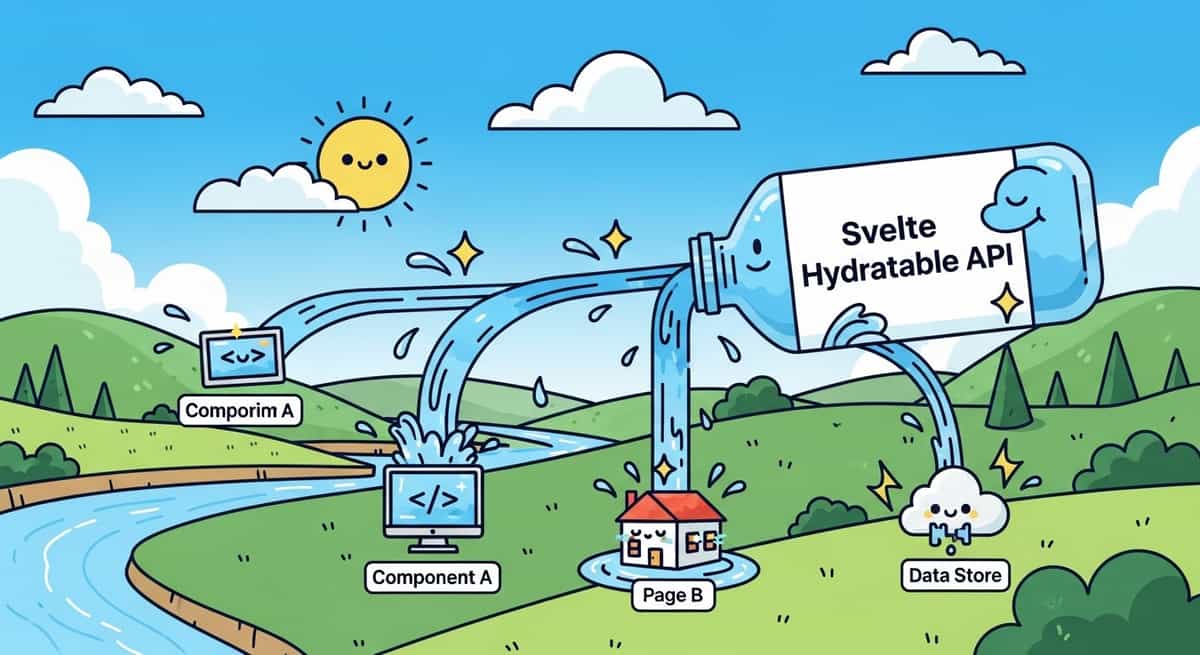
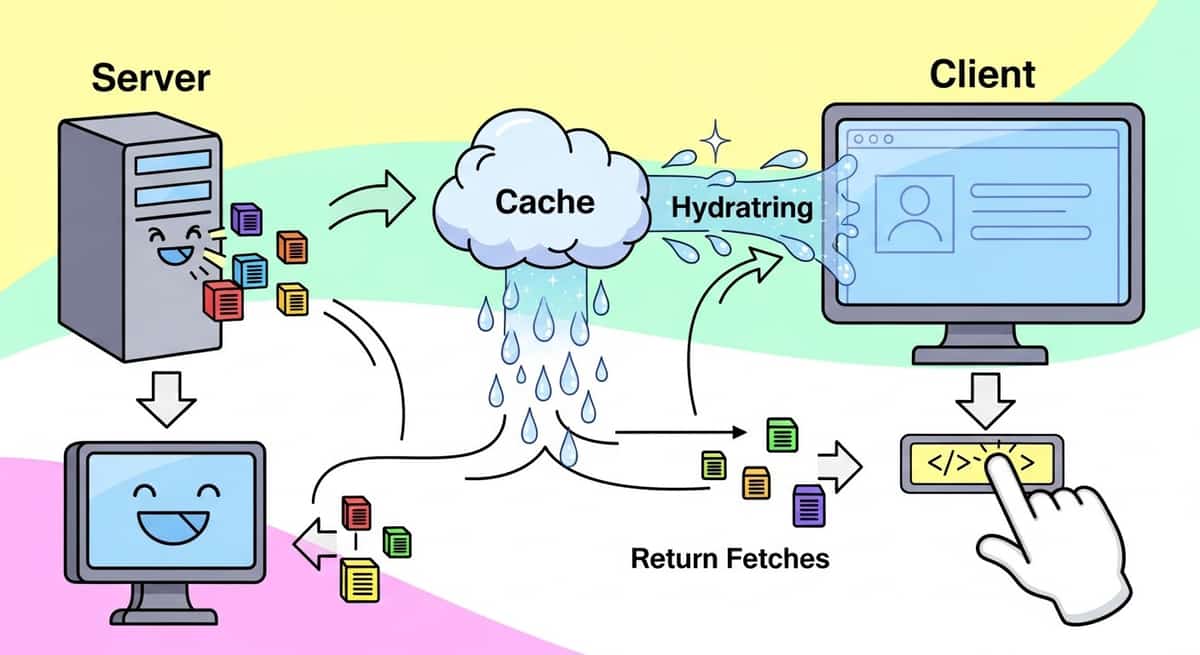
When you render an async component on the server in Svelte, the framework runs your code, serializes the result, and sends it to the browser. The problem? The browser then runs the exact same code again during hydration. If that code makes a database query or an API call, you've just made it twice for no reason.
This wasted work isn't just inefficient. It blocks hydration while the client waits for the same data it already has. On a slow network or with large datasets, users stare at a non-interactive page while their browser re-fetches what the server already fetched.
Svelte 5.44.0 introduced the hydratable API to solve this. It's a low-level tool that caches async results between server rendering and client hydration, so that second fetch never happens.
Link to section: Understanding the ProblemUnderstanding the Problem
Let me show you the issue first. Here's a typical Svelte component that fetches a user on the server:
<script>
  import { getUser } from '$lib/database';

  const user = await getUser(1);
</script>

<h1>{user.name}</h1>
<p>Email: {user.email}</p>
On the server, this runs once and serializes the user data into the HTML. On the client, during hydration, Svelte sees that getUser(1) is still in the component code and calls it again. That's a redundant database query or API call.
The impact is real. With a 200ms database round-trip and a 3G connection adding 300ms latency, hydration could delay interactivity by half a second per async operation. With multiple queries, you're looking at seconds of waste.
Link to section: How Hydratable WorksHow Hydratable Works
The hydratable function takes two arguments: a unique key and a callback that returns the data. On the server, it runs the callback, serializes the result, and bakes it into the HTML. On the client, it skips the callback entirely and returns the cached value. After hydration completes, any subsequent calls run the callback normally.
Here's the fixed version:
<script>
  import { hydratable } from 'svelte';
  import { getUser } from '$lib/database';

  const user = await hydratable('user-1', () => getUser(1));
</script>

<h1>{user.name}</h1>
<p>Email: {user.email}</p>
The key must be unique per value. If you're fetching multiple users, namespace them: 'user-1', 'user-2', and so on. If two different parts of your app use the same key, the second one gets the cached version of the first, which is usually wrong.
On the server, Svelte serializes the user object into the HTML payload. During hydration, instead of calling getUser(1), the browser reads that cached value and uses it immediately. The page becomes interactive without a second network request.
Link to section: Real-World SetupReal-World Setup
In practice, you won't call hydratable directly everywhere. Libraries handle it for you. SvelteKit's remote functions use hydratable behind the scenes to cache query results.
But if you're building a data-fetching library or want fine-grained control, you can use it explicitly. Here's a pattern I use for user data:
<script>
  import { hydratable } from 'svelte';
  import { getCurrentUser } from '$lib/server/auth.js';

  const user = await hydratable('current-user', () => getCurrentUser());
</script>

{#if user}
  <nav>
    <span>Welcome, {user.name}</span>
    <a href="/settings">Settings</a>
  </nav>
{:else}
  <a href="/login">Sign In</a>
{/if}
The key 'current-user' is global, and there's only one current user per request, so this is safe.
Link to section: Handling Complex Data TypesHandling Complex Data Types
One strength of hydratable is that it uses devalue, which can serialize much more than JSON. Maps, Sets, URLs, BigInt, and even Dates all serialize correctly. This means you can cache rich objects without converting them to and from strings.
<script>
  import { hydratable } from 'svelte';

  const cache = await hydratable('user-cache', () => {
    return new Map([
      ['updated_at', new Date()],
      ['timezone', 'UTC'],
      ['preferences', new Set(['dark-mode', 'reduce-motion'])]
    ]);
  });

  const updated = cache.get('updated_at');
</script>

<p>Last sync: {updated.toISOString()}</p>
The devalue library handles the serialization, so your component receives the actual Map and Date objects, not strings.
Link to section: Promises and Async ValuesPromises and Async Values
One subtle but powerful feature: hydratable can return promises. This is useful if you want to fetch data but let it resolve asynchronously on the client.
<script>
  import { hydratable } from 'svelte';

  const data = await hydratable('user-posts', () => {
    return {
      user: fetchUser(1),
      posts: fetchPosts(1)
    };
  });
</script>

<h1>{await data.user}</h1>

{#await data.posts}
  Loading posts...
{:then posts}
  {#each posts as post}
    <article>{post.title}</article>
  {/each}
{/await}
On the server, both promises resolve and get serialized. On the client, the promises are replayed so the values are available immediately without a second fetch. You can even await them in the template and they resolve to their cached values instantly.
Link to section: Namespacing Keys to Avoid CollisionsNamespacing Keys to Avoid Collisions
If you're building a library that uses hydratable, prefix your keys with your library name. This prevents collisions if multiple libraries or parts of your app use the same data.
<script>
  import { hydratable } from 'svelte';

  // Good: prefixed with library name
  const user = await hydratable('mylib/user-profile', () => getUser());

  // Bad: too generic, might collide
  const user = await hydratable('user', () => getUser());
</script>
If you don't prefix and another part of the app also calls hydratable with the key 'user', the second one will get the cached value from the first, which is almost always a bug.
Link to section: Patterns for Common ScenariosPatterns for Common Scenarios
Pattern 1: Stable Randomness
Sometimes you need a random value that stays the same between server and client. Use hydratable:
<script>
  import { hydratable } from 'svelte';

  const randomId = await hydratable('page-render-id', () =>
    Math.random().toString(36).slice(2)
  );
</script>

<div data-render-id={randomId}>
  <!-- Content stays consistent during hydration -->
</div>
Pattern 2: Time-based Values
If you render a timestamp on the server and need the same value on the client:
<script>
  import { hydratable } from 'svelte';

  const renderTime = await hydratable('page-render-time', () => new Date());
</script>

<p>Rendered at {renderTime.toISOString()}</p>
Without hydratable, the client would render a different timestamp during hydration, causing a mismatch that prevents SSR.
Pattern 3: Initial State with Async Initialization
When you need to initialize complex state asynchronously and keep it stable:
<script>
  import { hydratable } from 'svelte';

  const config = await hydratable('app-config', async () => {
    const settings = await fetchSettings();
    const features = await checkFeatures();
    return { settings, features };
  });
</script>

{#each config.features as feature}
  {#if config.settings[feature.id]}
    <Component />
  {/if}
{/each}
Link to section: When Not to Use HydratableWhen Not to Use Hydratable
hydratable solves server-side hydration mismatch issues, but it's not a caching layer for the browser. If you need to cache API responses across page navigations, use a store or a proper cache library instead.
Also, don't use hydratable for every async operation. Most of the time, SvelteKit's data loading and remote functions handle this for you. Only reach for hydratable directly when you're building a library or need very specific control over serialization.
Link to section: Debugging Serialization IssuesDebugging Serialization Issues
If a value doesn't serialize, devalue throws an error. Common culprits: class instances (not plain objects), functions, symbols, and circular references.
If you hit this, check what you're returning from the callback. Functions and class instances won't serialize. Convert them to plain objects:
<script>
  import { hydratable } from 'svelte';

  // This will fail: Date.constructor is not serializable
  // const bad = await hydratable('key', () => new MyClass());

  // This works: plain object
  const good = await hydratable('key', async () => {
    const data = await fetch('/api/data').then(r => r.json());
    return { id: data.id, name: data.name };
  });
</script>
Link to section: Measuring the ImpactMeasuring the Impact
In a production SvelteKit app I worked on, we reduced hydration time by about 320ms on initial page load by applying hydratable to four key async operations (user data, feature flags, site config, and recommendations). That's the time saved by skipping four redundant API calls during hydration.
On a 3G connection, the difference was even starker: from 2.1 seconds to 1.8 seconds. The page became interactive 300ms sooner because the browser didn't wait for those re-fetches.
For most apps, the gain is smaller, but every millisecond counts. If your first contentful paint is 2.5 seconds and hydration adds 0.5 seconds of extra fetching, shaving off 0.3 seconds is a meaningful 12% improvement.
Link to section: Next StepsNext Steps
If you're using SvelteKit with SSR, check whether your data-fetching layer is using hydratable under the hood. Remote functions do this automatically. If you're writing custom async components, consider whether hydratable would eliminate redundant work.
The API is low-level, and most developers won't call it directly. But understanding what it does helps you build faster apps and avoid subtle hydration mismatches. For a deeper dive into SvelteKit's type-safe data patterns, check out how runes and remote functions work together.
Start with one async operation that you know is expensive, wrap it in hydratable, and measure the hydration time before and after. You'll see the win immediately.